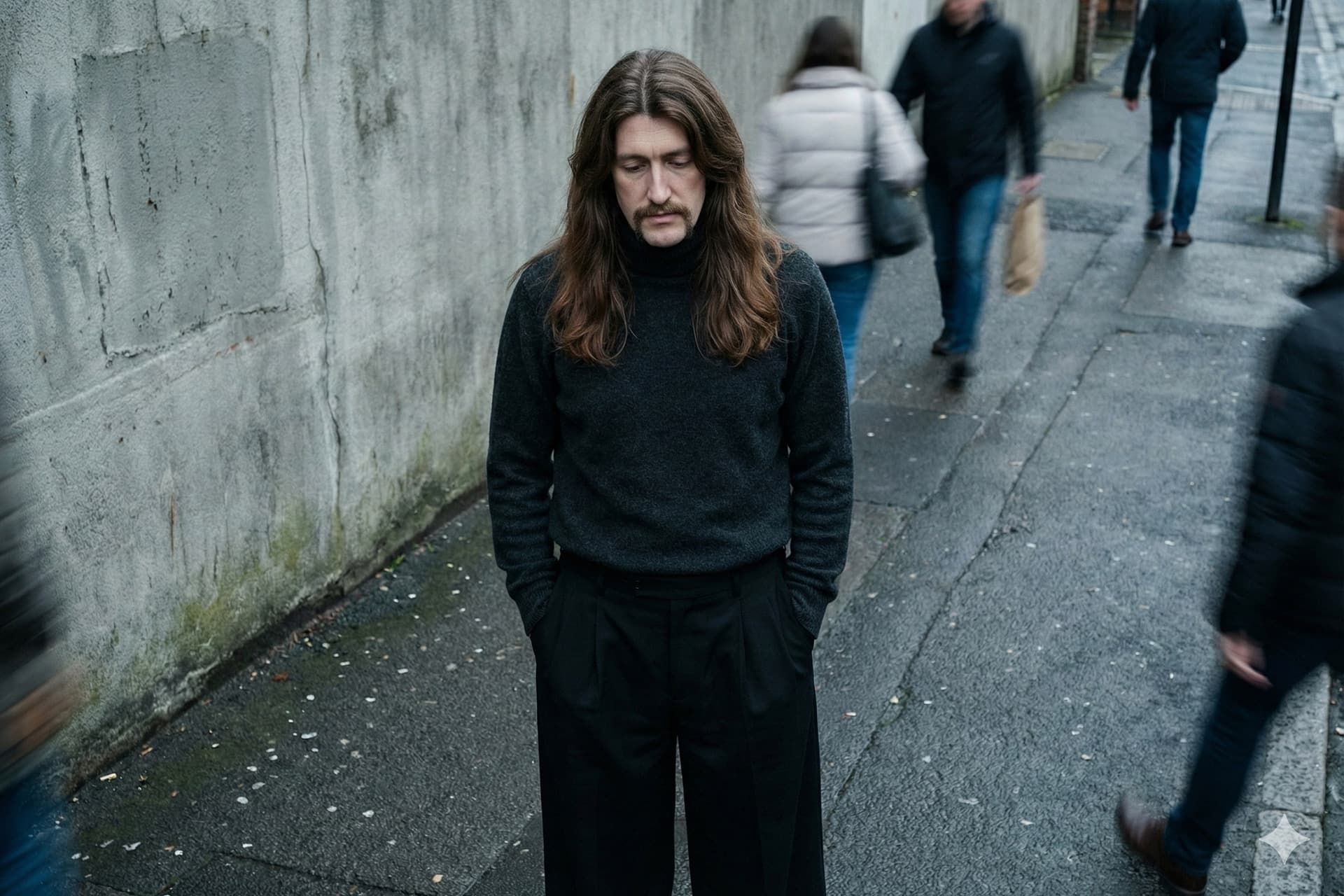
بدون نیاز به عکاس یا لوکیشن خاص، با هوش مصنوعی پرترههایی با استایل خیابانی، نورپردازی سینمایی و جزئیات خیرهکننده خلق کنید.
تبلیغات
عکاسی خیابانی با نورهای خاص و حالوهوای جسورانهاش همیشه فضایی متفاوت میسازد؛ اما گرفتن چنین قابهایی در دنیای واقعی زمان میبرد و به یک دوربین حرفهای و البته کمی شانس برای شکار لحظهی مناسب نیاز دارد.
اگر دوست دارید پرترهای با کیفیت مجلات مد و حالوهوای شهری داشته باشید، بیآنکه دنبال لوکیشن بگردید یا عکاس پیدا کنید، در مقالهی پیشرو پرامپتی مناسب برای ایجاد این سبک تصاویر با استفاده از ابزارهای هوش مصنوعی معرفی میکنیم.
کپی لینک
مراحل ساخت عکس خیابانی با هوش مصنوعی
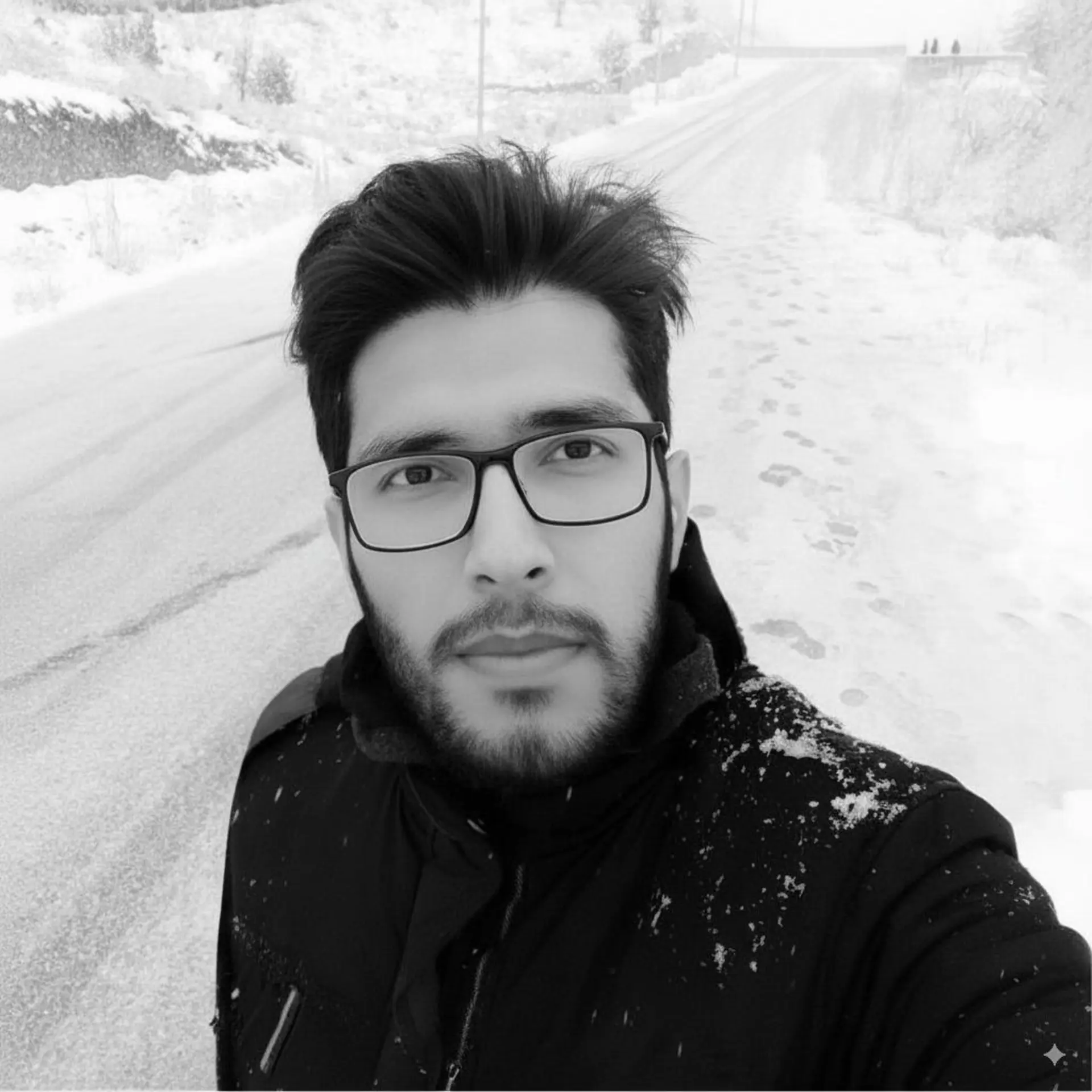
ابتدا در یکی از ابزارهای هوش مصنوعی با قابلیت ساخت تصویر با متن (از جمله چتجیپیتی، پرپلکسیتی، PixVerse.AI و جمنای ) ثبتنام کنید. سپس یک عکس واضح و باکیفیت از چهرهتان آپلود کنید تا هوش مصنوعی بتواند جزئیات صورت را دقیق ببیند؛ سپس پرامپت زیر را کپی کنید و در ابزار مدنظر قرار دهید.
--- \[PROMPT MODIFIERS: HIGHEST PRIORITY] ---
`$MOOD`: **Happy**
*(Options: Moody | Neutral | Happy)*
`$ASPECT_RATIO`: **4:5**
*(Options: 16:9 | 9:16 | 4:5 | 1:1)*
--- \[PROMPT MODIFIERS: SECONDARY (OVERRIDES)] ---
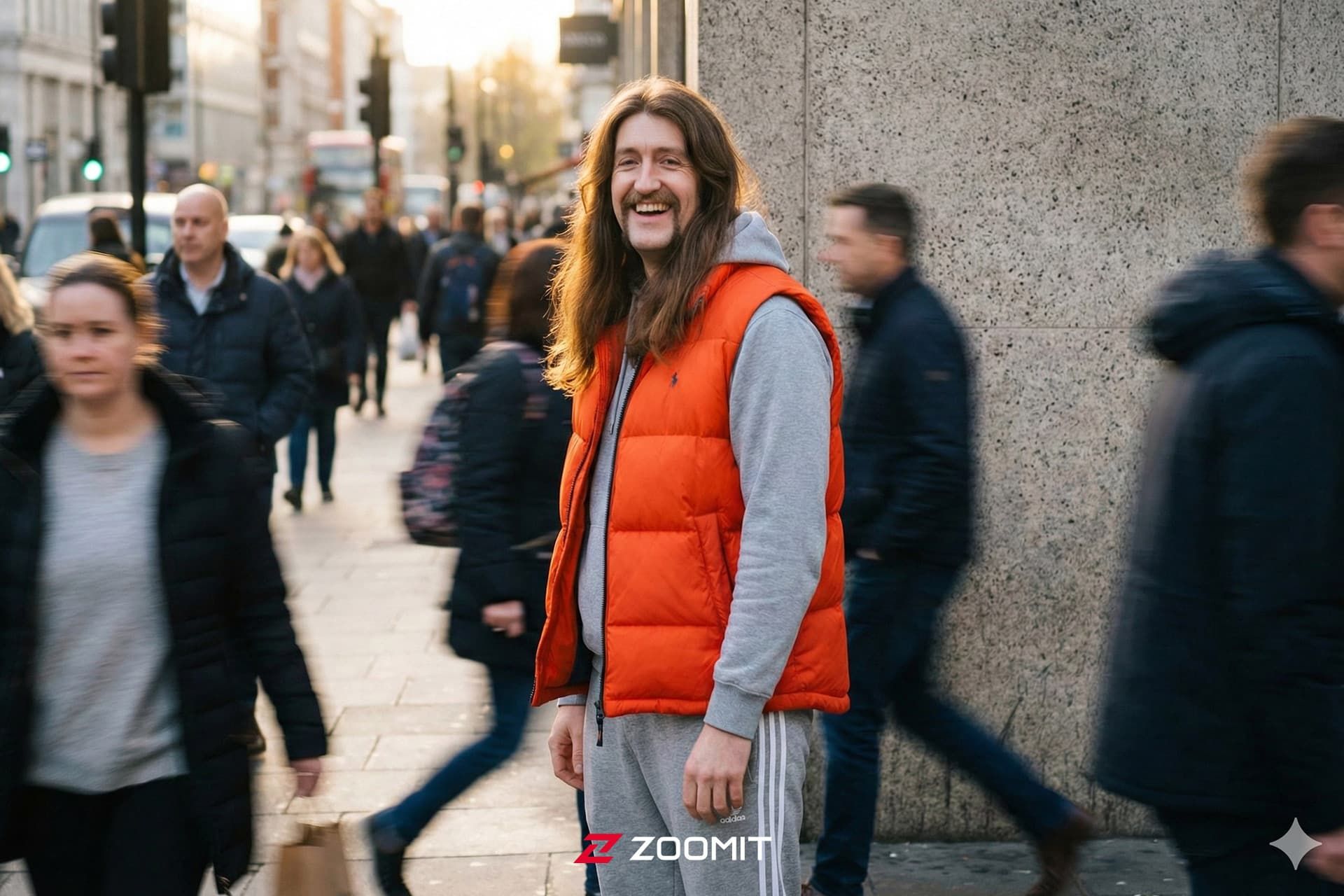
`$CLOTHING_TOP`: **bright orange puffer vest over a hoodie**
`$CLOTHING_BOTTOM`: **grey joggers with white stripes**
`$CAMERA_ANGLE`: **Default**
*(Default = Auto-selects the angle that best amplifies the $MOOD)*
`$EXPRESSION`: **Default**
*(Default = Auto-selects the micro-expression matching the $MOOD)*
`$LIGHTING_STYLE`: **Default**
*(Default = Auto-selects the lighting physics matching the $MOOD)*
--- \[PROMPT LOGIC: DO NOT EDIT] ---
**Part 0: Mood Definitions (Internal Logic)**
*Analyze the `$MOOD` variable to determine the "Default" physics if not manually overridden:*
* **IF Moody:** Angle = Slightly High (Vulnerable) | Expression = Brooding, downward gaze, avoiding eye contact | Lighting = Cinematic Overcast (Cool Blue Tones, Soft Shadows).
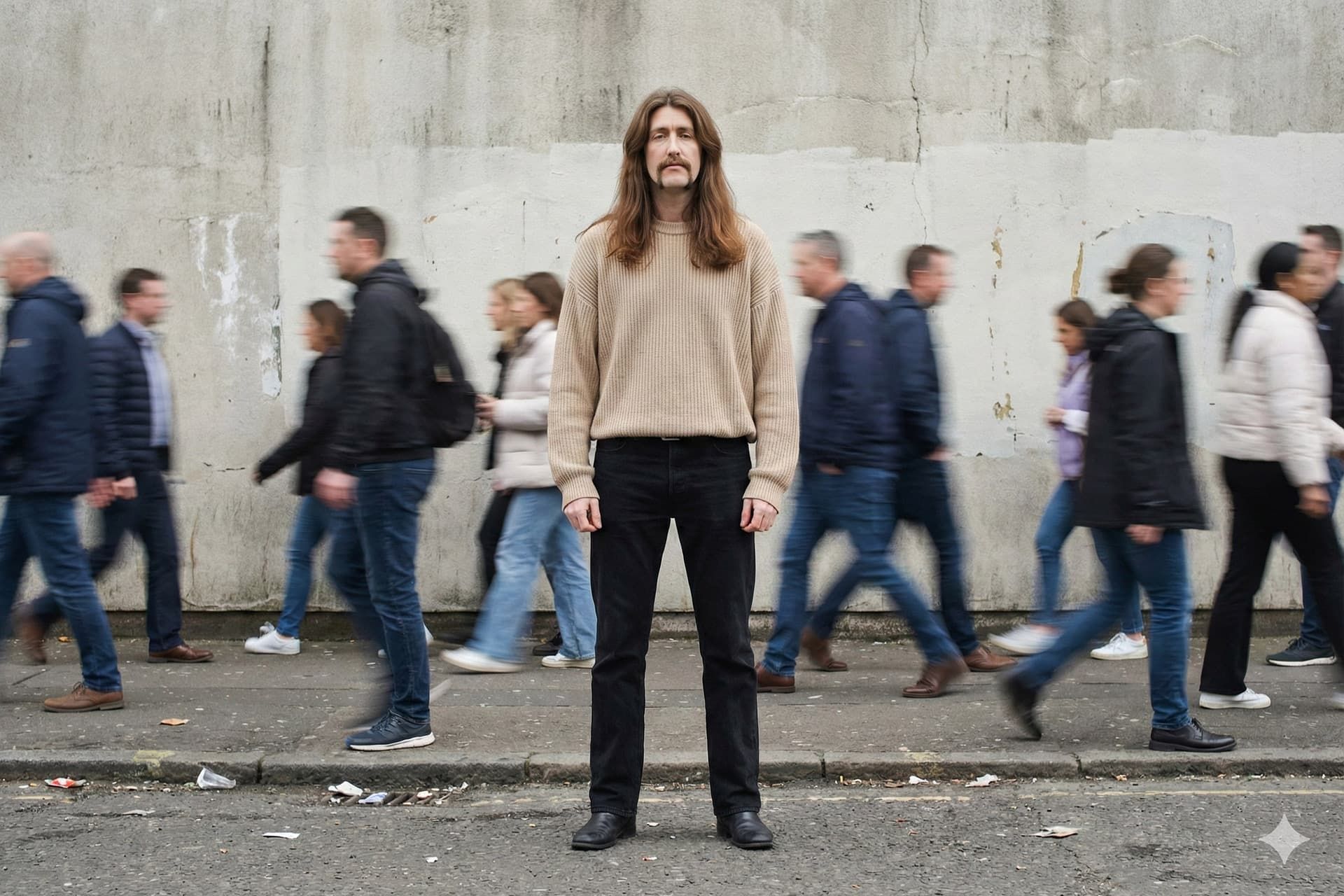
* **IF Neutral:** Angle = Eye-Level (Empowered) | Expression = Confident, direct eye contact, relaxed facial muscles | Lighting = High Key Softbox (Clean White Tones, Minimal Shadows).
* **IF Happy:** Angle = Eye-Level (Grounded) | Expression = **Subtle, authentic smile (lips closed or slightly parted), soft eyes, looking warmly towards the lens or slightly to the side** | Lighting = Golden Hour Backlight (Warm Gold Tones, Rim Light).
**Part 1: The Core Subject (Photographic Fidelity)**
Create a **hyper-realistic cinematic streetwear portrait** of **the person** from the uploaded reference photo.
* **Fidelity:** The subject's face is a 1:1 photorealistic match to the reference, capturing natural skin texture, pores, and micro-details.
* **Pose & Emotion:** The subject embodies the **`$MOOD`** atmosphere.
* **Expression:** Render the **`$EXPRESSION`**. (If "Default", apply the expression defined in Part 0). **CRITICAL:** Avoid exaggerated, open-mouthed laughter or wide-eyed staring. Keep the expression grounded and human.
* **Posture:** Reflect the mood—grounded and heavy for Moody; upright/assured for Neutral; **relaxed and comfortable (leaning slightly or shifting weight naturally)** for Happy.
* **Attire:** They are wearing a **`$CLOTHING_TOP`** and **`$CLOTHING_BOTTOM`**. The fabric physics must be accurate, showing weight, folds, and texture appropriate for the material.
**Part 2: The Aesthetic & Environment (Harmonious Design)**
* **Setting:** A stark urban setting against a **textured gray concrete wall**.
* **The Crowd (Dynamic Layer):** A crowd of rushing pedestrians passes behind the subject. They are rendered with **heavy motion blur (ghosting)**, appearing as streaks of motion that contrast with the subject's stillness.
* **Ground Details:** The asphalt foreground is gritty and realistic, scattered with urban debris (crushed cups, paper) that grounds the subject in a raw city environment.
**Part 3: Camera & Lighting (Studio-Quality Controls)**
* **Composition:** A **`$CAMERA_ANGLE`** shot. (If "Default", apply the angle defined in Part 0).
* **Lens:** 50mm Prime Lens. Shallow depth of field (f/2.8) keeps the subject sharp while softly blurring the rushing crowd and concrete wall behind.
* **Lighting:** **`$LIGHTING_STYLE`**. (If "Default", apply the lighting physics defined in Part 0). Ensure the light temperature and shadow fall-off strictly obey the chosen physics.
* **Format:** Aspect Ratio **`$ASPECT_RATIO`**.
**Part 4: Negative Prompt (Quality Control)**
* **Avoid:** 3d render, cgi, plastic skin, bad anatomy, floating limbs, oversaturated, cartoon, illustration, flat lighting, **uncanny valley, manic expression, open mouth laugh, exaggerated teeth**.
نکتهی جذاب این دستور، متغیرهای هوشمندی مثل $MOOD (حسوحال) و $CLOTHING (لباس) است که دستتان را برای خلاقیت باز میگذارد. مثلاً حالت Happy را انتخاب کنید تا هوش مصنوعی بهطور خودکار زاویهی دوربین و نورپردازی را طوری تنظیم کند که تصویر نهایی سرشار از انرژی و شادی باشد.
حسوحال Neutral
حسوحال Moody
در جدول زیر میتوانید چند ترکیب پیشنهادی برای استایلها و حالات مختلف را مشاهده و آنها را در پرامپت جایگزین کنید:
نام استایل (Style Name)
حالت (Mood)
لباس بالا (Top)
لباس پایین (Bottom)
استایل مینیمال شهری
Neutral
oversized beige knit sweater
black straight-leg denim jeans
استایل خیابانی شبانه
Moody
black leather biker jacket over a white tee
distressed charcoal skinny jeans
استایل ورزشی پویا
Happy
bright orange puffer vest over a hoodie
grey joggers with white stripes
استایل هنری و تیره
Moody
dark turtle neck sweater
wide-leg pleated black trousers
شما کدام ترکیب رنگ و نورپردازی را برای پرترهی شهری خود میپسندید؟ نتایج و تجربیات خود را در بخش نظرات با ما به اشتراک بگذارید.